Early alpha · macOS and Windows

VLC, rebuilt
for the modern age.

Every format VLC plays, on the same engine, with an interface that finally feels current. Free and open source.

macOS 11+ on Apple Silicon · Windows 10 and 11 (64-bit) · Alpha

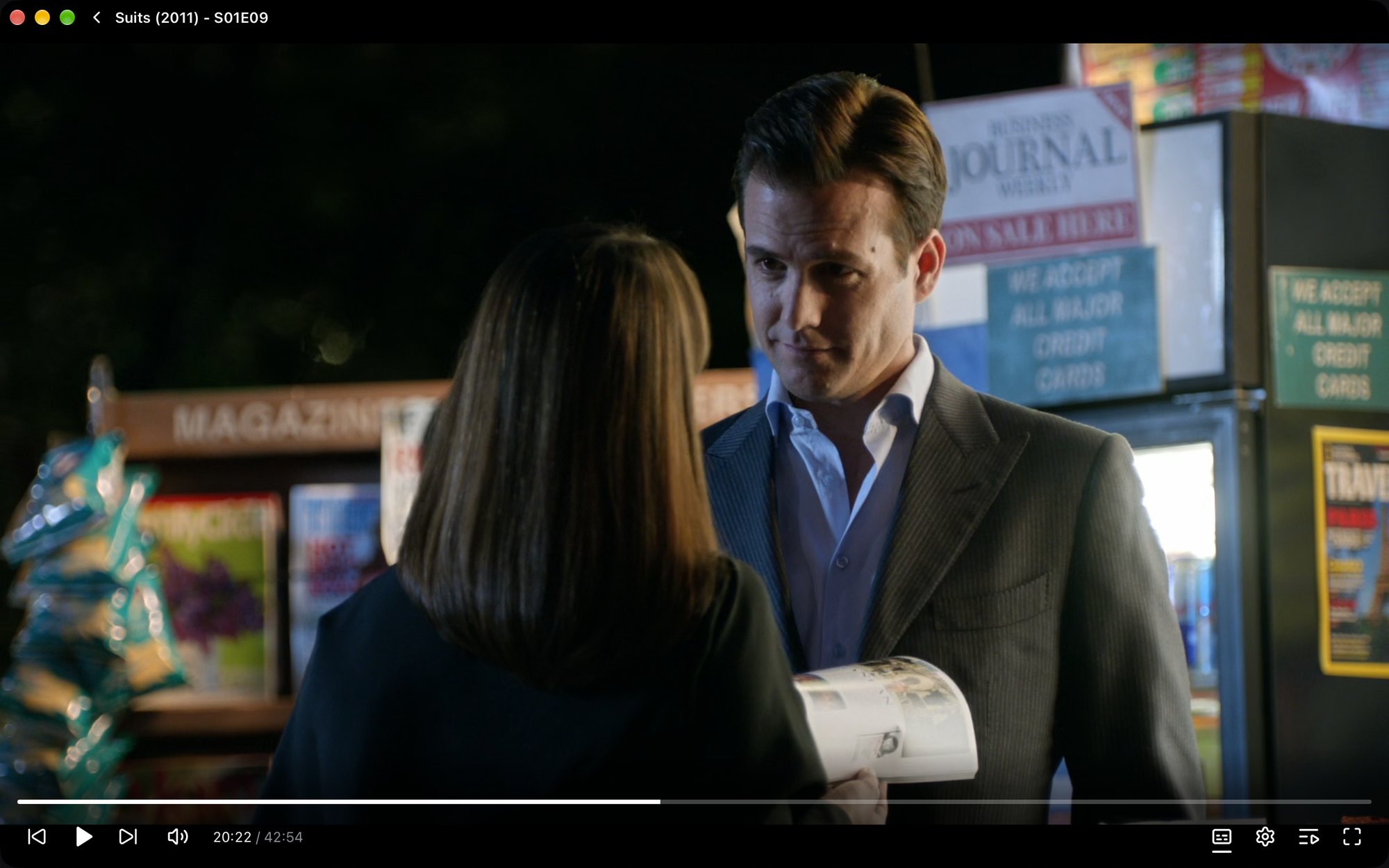
ReVLC paused on an episode of Suits, with the episode title at the top and a slim control bar along the bottom

Pick up where you left off.

Continue watching remembers your position in every file and shows a thumbnail of where you stopped. Add a folder and ReVLC builds a library from it, reading show names, seasons and episode titles from your files, so a season stays a season.
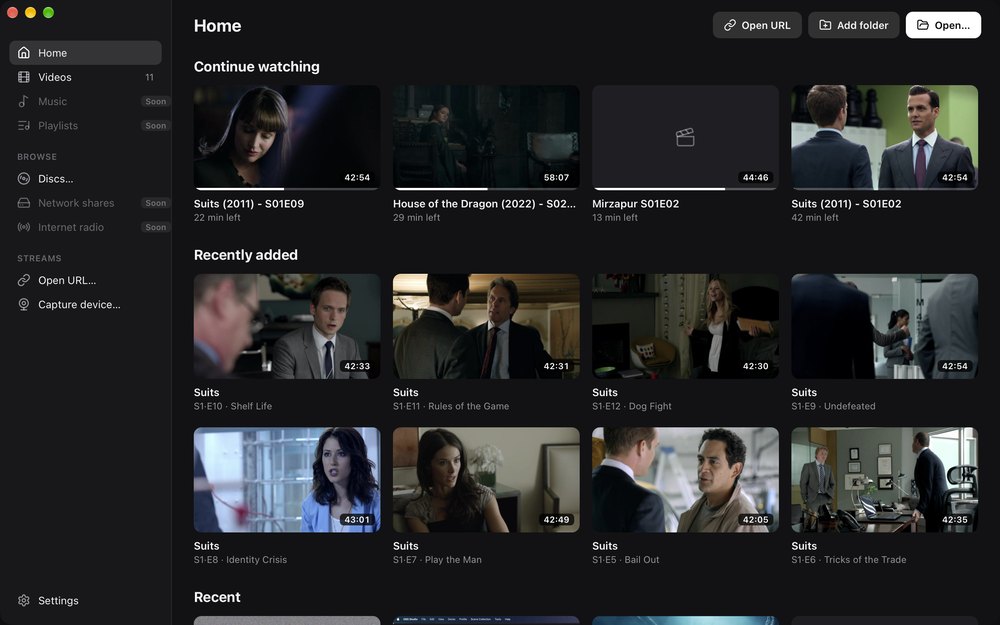
ReVLC home screen with a Continue watching row showing progress on each thumbnail, and Recently added episodes of Suits labelled by season, episode and title

Subtitles, already on.

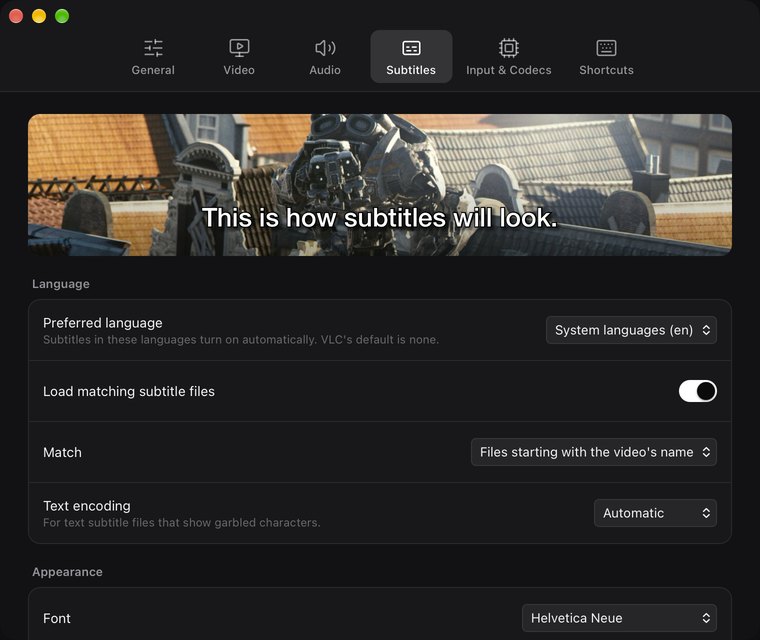
Subtitles turn on automatically in your system language, including Blu-ray image subtitles (PGS). Choose the font, size, colour, outline and background in Settings, with a live preview, and the video you're watching updates as you go.

ReVLC's Settings window on the Subtitles tab, with a live subtitle preview and language options

One menu for everything.

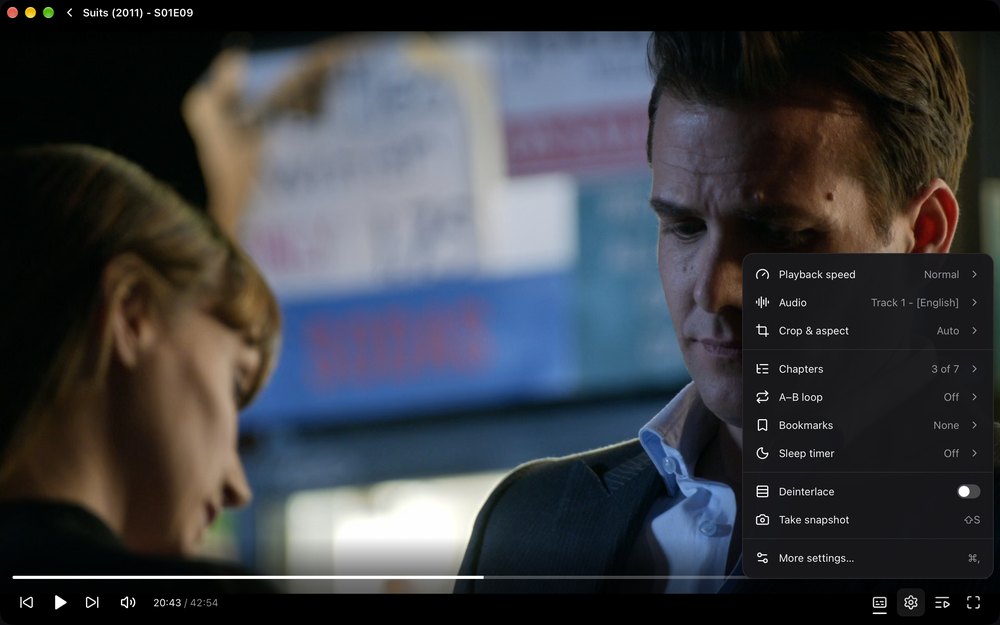
Speed, audio track, crop and aspect ratio, chapters, A–B loop, bookmarks, a sleep timer and deinterlacing. All in a single menu that stays out of the way until you need it.

The player menu open over a paused episode, listing playback speed, audio, crop and aspect, chapters, A–B loop, bookmarks, sleep timer, deinterlace and snapshot

Up Next, your way.

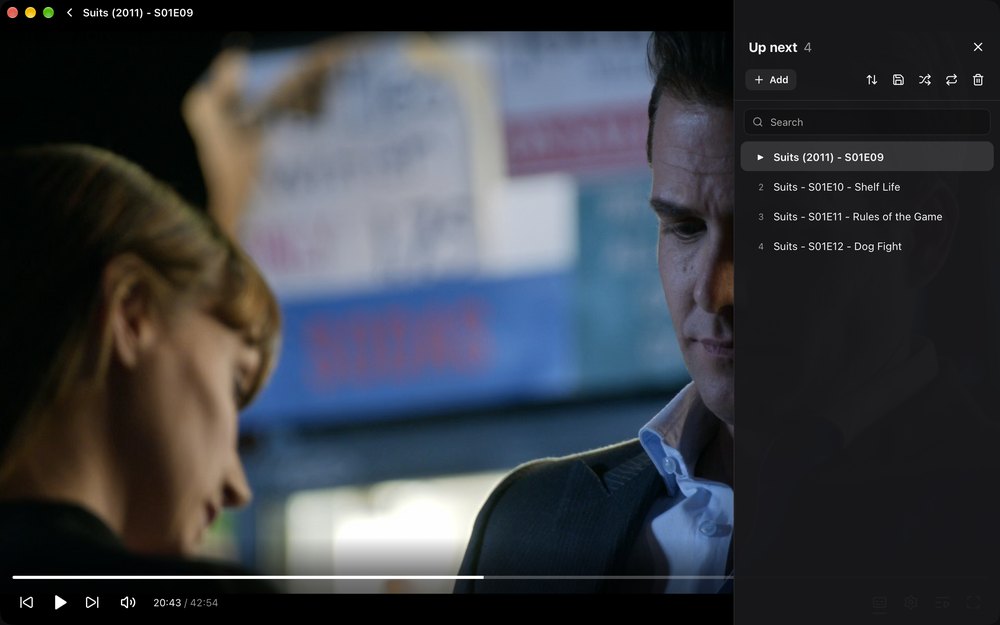
Queue up files and drag them into order, search and sort them, or save the queue as a playlist. Shuffle, or repeat one or all.

The Up Next panel open beside a paused episode, listing the next three episodes of Suits, with search, sort, save, shuffle, repeat and clear controls

The details that matter.

  • The formats VLC plays

    Same engine, same broad format support. No codec packs to hunt down.

  • Hardware decoding

    Uses your computer's hardware video decoder for smooth, efficient playback.

  • Chapter-aware seek bar

    Chapters show up as segments on the seek bar, so you can see where scenes begin.

  • Automatic subtitles

    Picks subtitles in your system language, text or PGS image subtitles alike.

  • Resume positions

    Every file reopens where you stopped, with thumbnails in Continue watching.

  • Library from folders

    Point ReVLC at your folders. Subfolders become groups, like seasons of a show.

  • Network streams

    Open HTTP, HLS, DASH and RTSP streams, or paste a YouTube link.

  • VLC-style shortcuts

    The keys you already know, plus an overlay listing them all. Press ? to see it.

Under the hood

Built on VLC's engine.

ReVLC plays media with libVLC, the same open-source engine inside VLC. Decades of format support, streaming and subtitle rendering come along with it. ReVLC keeps all of that and replaces the interface with one designed for today. libVLC ships inside the app, so there is nothing else to install.

The goal is full VLC feature parity, one checked box at a time.

Engine
libVLC 3
App
Rust + Tauri
Interface
Svelte
Licence
GPL-3.0

Your colour.

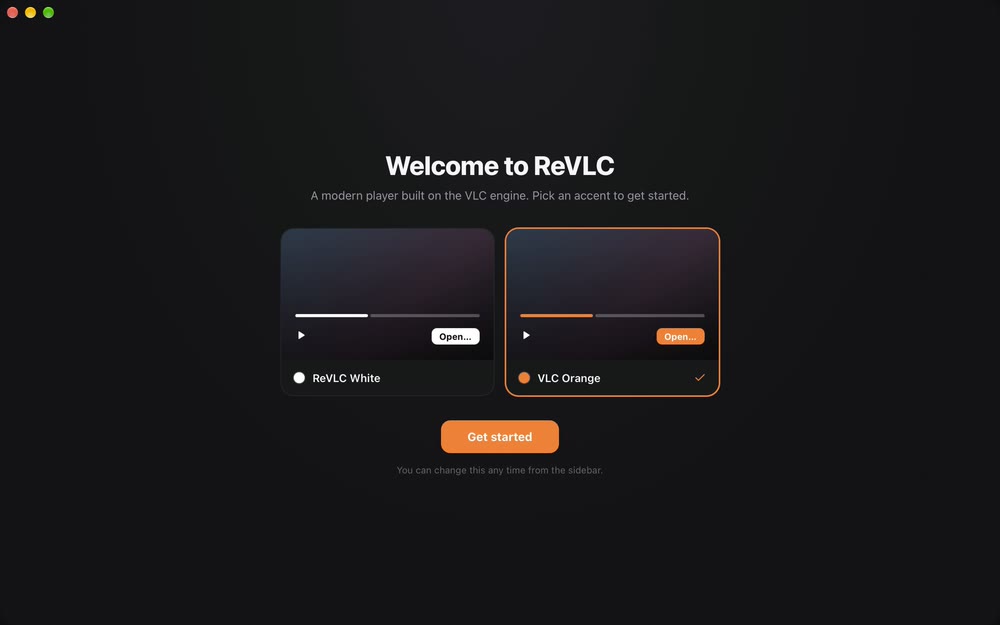
Choose an accent the first time you open ReVLC, and change it any time from the sidebar.

  • ReVLC White
  • VLC Orange
The Welcome to ReVLC screen offering two accents, ReVLC White and VLC Orange, with VLC Orange selected

Working toward full VLC parity.

ReVLC is early. The roadmap is a public checklist of every user-facing VLC feature.

Available now

  • Playback speed 0.25×–4× and frame step
  • Open files, folders, drag and drop, Finder "Open With"
  • Embedded and external subtitles, subtitle delay
  • Audio track selection, audio delay, volume up to 200%
  • Aspect ratio, crop, deinterlace, snapshots
  • Jump to time, A–B loop, chapters and titles, bookmarks, sleep timer
  • DVD and Blu-ray with menus, audio CD, VCD, disc images, capture devices
  • Queue with search, sort, shuffle and repeat; M3U, PLS and XSPF playlists
  • Library with show, season and episode titles, posters and durations
  • Settings with VLC's defaults, subtitle styling, editable shortcuts

On the roadmap

  • Linux
  • Signed and notarised builds
  • Video effects and colour adjustments
  • Equaliser and audio effects
  • Picture-in-picture and mini player
  • Chromecast and network shares

See the full parity checklist

Free and open source.

ReVLC is licensed under GPL-3.0. Read the code, file an issue, or help tick off the next box.

macOS 11+ on Apple Silicon · Windows 10 and 11 (64-bit) · Alpha

Builds are not notarised yet. On first launch, right-click ReVLC in Applications and choose Open. On Windows, if SmartScreen warns about the installer, choose More info then Run anyway.